

 Danielle Alhiraki
Design & Build Quality
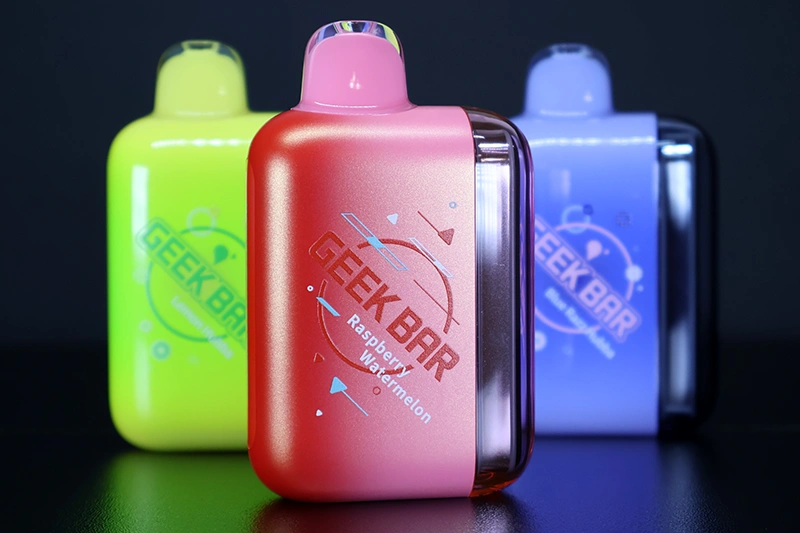
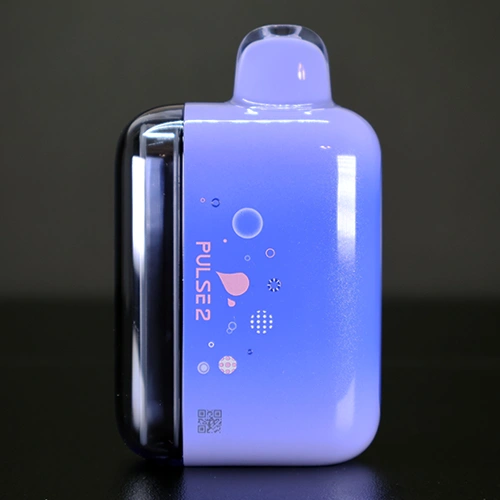
While the overall design stays true to the original Pulse, the Pulse 2 looks more refined and has a few cosmetic changes. The device still remains box-shaped and features rounded edges that make it really comfortable to hold.
The Pulse 2 is slightly larger than the original in height and width; however, it’s the same depth as the original Pulse. The Pulse 2 measures 86mm tall, 53mm wide, and 28mm deep. It remains a chunky device, but given that it is almost the same size as the original and has more puffs and a bigger battery, I can’t complain.
While their website claims the Pulse 2 is the first device with a dome screen, I’m slightly confused. In my opinion, the screen looks better and is much clearer than the original Pulse, yet the screens are essentially the same design. The display is raised off the device and completely enclosed in a clear plastic dome. This dome helps protect the screen from damage. But this isn’t much different from the original device, so I’m confused about the “World’s First” title.
Besides the upgraded display screen, the only real change is the “Binary Orbit light”, which consists of two separate light bars that wrap around the display. These two lights light up in either orange or green, depending on the mode you have selected. If you are in Pulse Mode, the Binary Orbit light will light up in orange and show a planet with stars in the middle of the display.
When you set the device to Regular mode, the Binary Orbit lights will light up in green. The planet will also light up in this mode. However, there will be no stars on the screen in this mode.
The display screen still features two separate battery and ejuice indicators. At the top of the screen, there is a meter gauge, and the battery level percentage is clearly displayed. At the bottom of the screen, there is a gauge and percentage for the ejuice level.
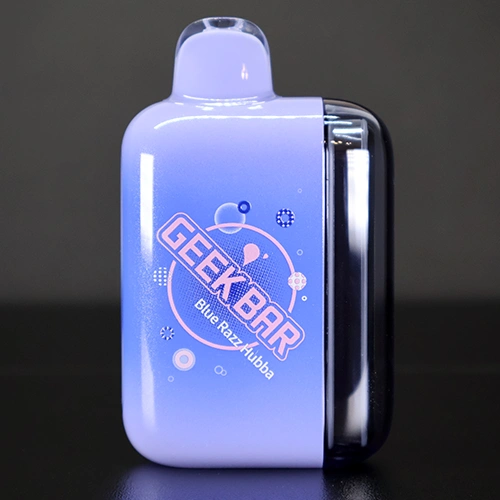
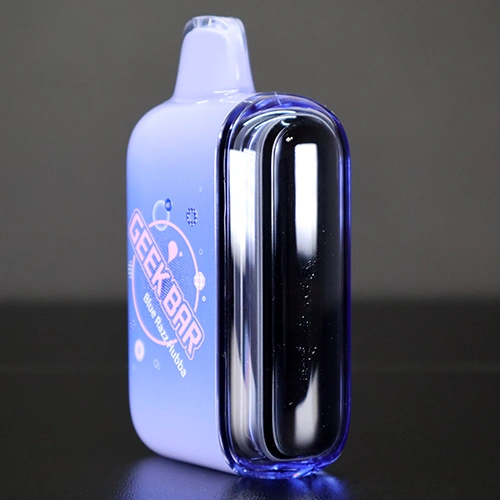
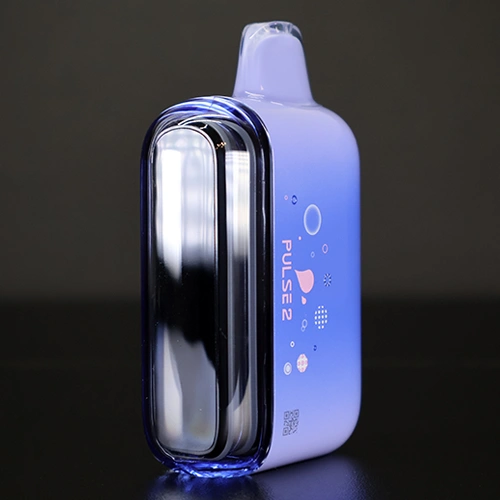
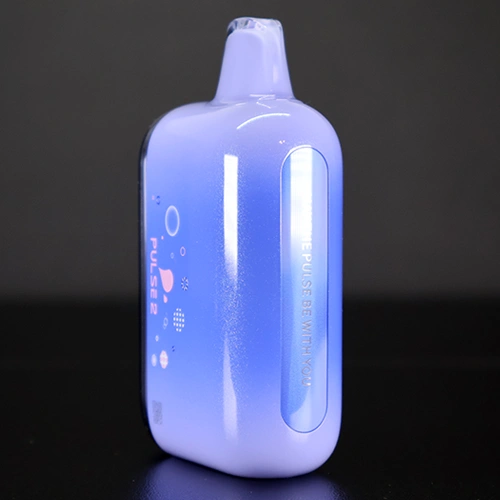
The Pulse 2 features the same mouthpiece as the original, a silicone-wrapped plastic mouthpiece. This makes it really comfortable to use and has saved my teeth a few times.
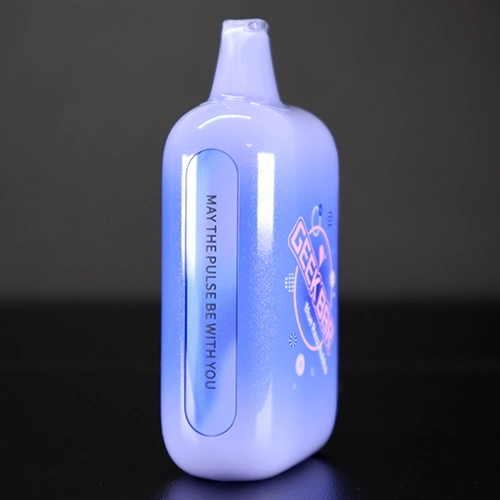
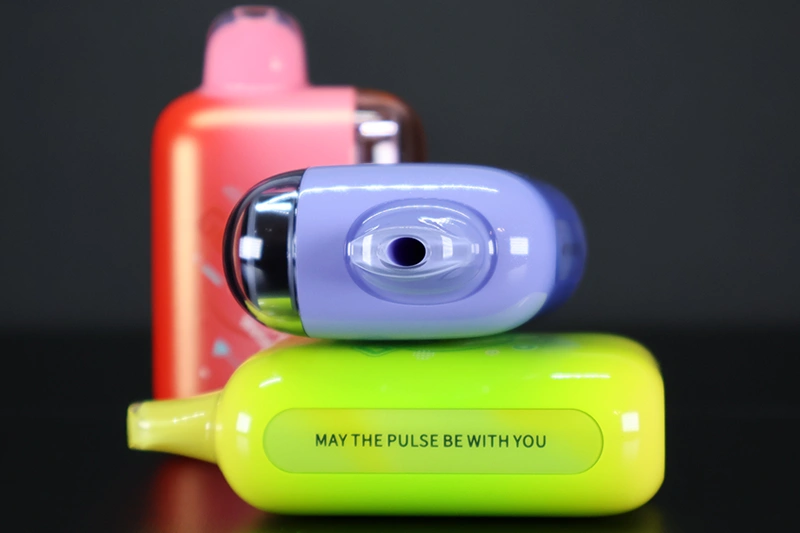
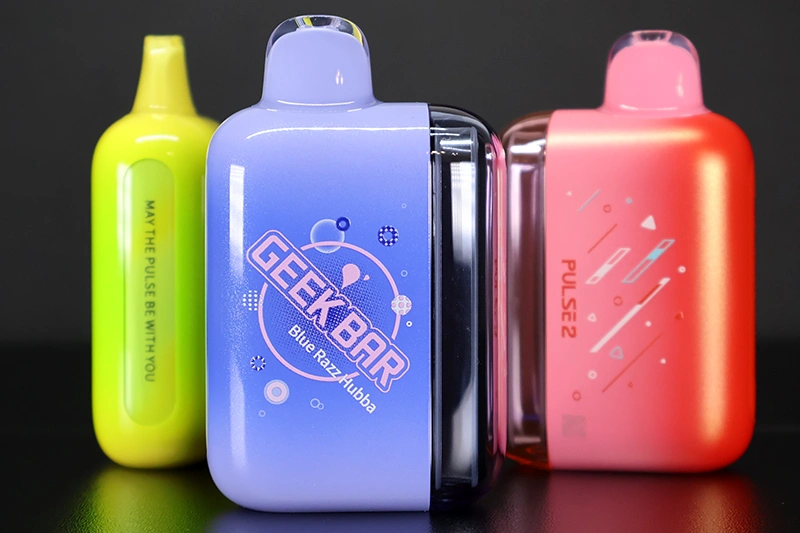
The logos and branding on the device are nice additions and very stylish. On the front of the device is a simple Geek Bar logo with a few circles and lines that I think are meant to represent a cosmic shower. Just below that is the flavor of the device.
On the back of the device is a similar cosmic shower-esque design, with the device name Pulse 2 just next to the dome display. On the side opposite the display screen is the Geek Bar slogan “May the Pulse be with you.”
Finally, at the bottom of the device, you will find your dual-airflow adjustment and mode-selection slider button. It also includes a Type-C charging port.
Features
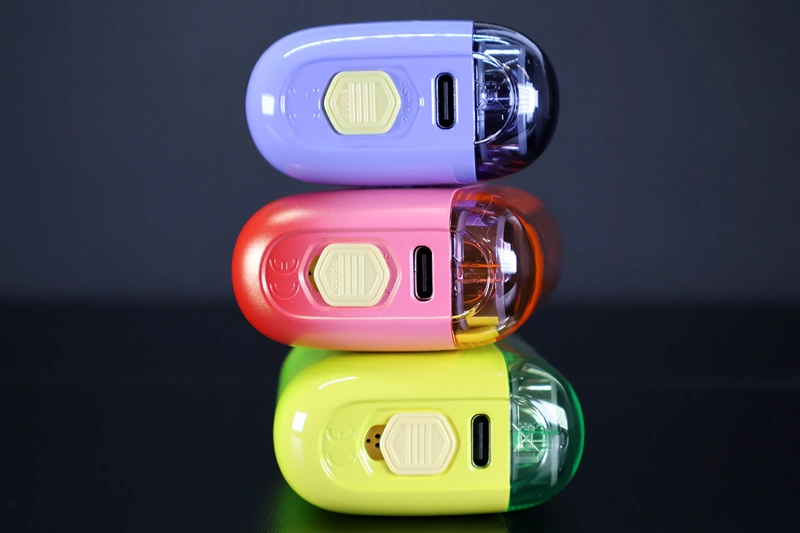
The biggest cosmetic feature on the Pulse 2 is something I mentioned in the previous section. It’s the Binary Orbit lights that wrap around the display screen. These binary lights weren’t on the original Pulse, and they add a nice touch to the overall design of the device.
Depending on which mode you have selected, regular or pulse, the binary lights light up when you take a draw on the device. When you set the device to regular mode, the lights are green. When you set the slider to pulse Mode, the lights light up orange.
If I can be a little picky here, it would have been nice to use these two binary lights to represent the battery life instead of the mode you are in. I set my mode and know which mode I am currently in. However, the battery life changes during use, so representing it through these lights would give the user better information. Or maybe one of the orbit lights could represent the mode while the other represents battery life. Regardless, they do look really nice.
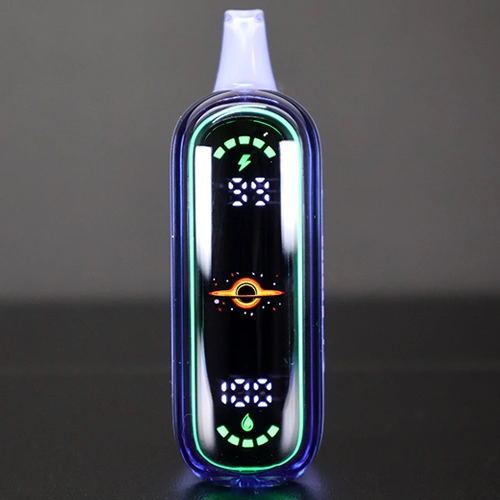
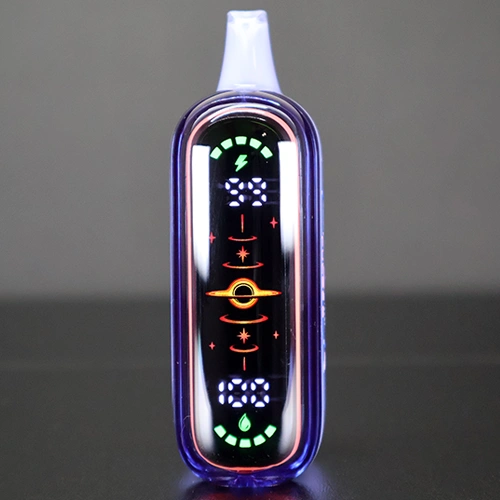
The display screen changes slightly depending on the mode you are in. In regular mode, a Saturn-like planet appears on the screen when you take a draw. When you are in the Pulse Mode, the planet appears on screen, along with what I can only describe as a cosmic shower.
There are no buttons on the Pulse 2, but there is a slider on the bottom of the device. This slider serves as an all-in-one control that turns on the device, adjusts the airflow, and changes the mode you are in, either Normal or Pulse. When you first take the device out of the packaging, you will see the slider is set to the off position. From there, you can slide the device into either Normal or Pulse Mode.
As I mentioned previously, the slider controls both the mode and the airflow at the same time. To turn the device on, move the slider until you feel and hear a click; then you’re in Normal Mode, and two small airflow holes will be exposed. Normal Mode delivers a tight mouth-to-lung draw with a good amount of restriction. Sliding the slider one more time will set you to Pulse Mode. This exposes all three airflow holes, resulting in a slightly looser mouth-to-lung draw for a smoother draw.
The most impressive thing about the new Pulse 2 is that it has remained the same size while delivering up to 10,000 more puffs, all while still containing the same amount of e-liquid as its predecessor. Being able to deliver up to 25,000 puffs with 16ml of e-liquid is no easy feat.
You might be wondering how the heck this is even possible. This has to do with the use of the Geek Bar’s VPU technology and the 0.8Ω dual mesh coil. While I am well-versed in vaping, I am no scientist, but I do trust the Geek Bar brand and know they invest heavily in the research and development of their products. I guess it’s kind of like how cars get more fuel-efficient; the Pulse 2 is just getting more juice-efficient.
Flavors
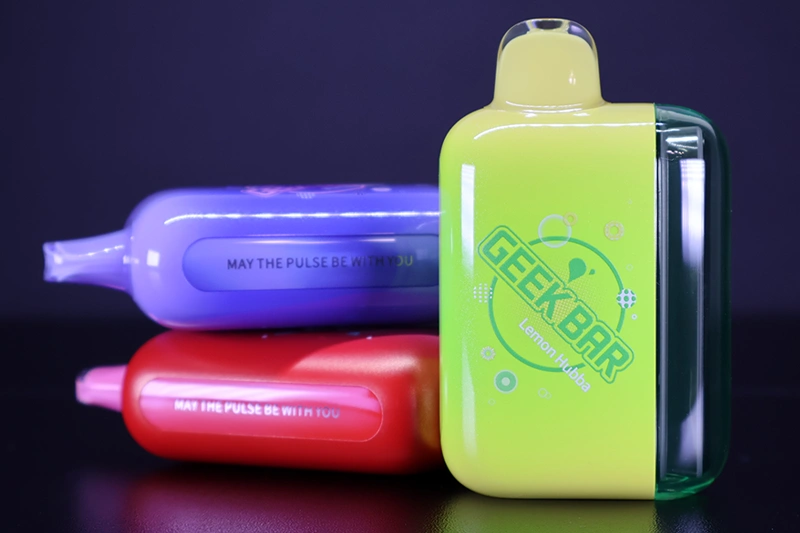
If you have any experience with Geek Bar’s disposables, you’ll know that they don’t skimp on flavor options. Much like their other devices, the Pulse 2 offers 30 different flavor options.
There are two editions of flavors as well, the Standard Edition, which contains all your favorite and recognizable fruit-forward flavors, as well as the Bubba Edition, which is an homage to the nostalgic bubble gum brand Hubba Bubba. According to their website, the flavors available for the Pulse 2 are:
- Bahama Breeze
- Berry Bliss
- Blue Razz Hubba
- Blue Razz Ice
- Blueberry Watermelon
- Dragon Melon
- Fcuking Fab
- Frozen White Grape
- Grape Hubba
- Juicy Peach Ice
- LA Mint
- Lemon Hubba
- Mexico Mango
- Miami Mint
- Peach Lemonade
- Pineapple Savers
- Pink Lemonade
- Raspberry Watermelon
- Sour Apple Ice
- Sour Blue Dust
- Sour Fcuking Fab
- Sour Gush
- Sour Strawberry
- Stone Freeze
- Strawberry Banana
- Strawberry Watermelon Hubba
- Toasted Pina Colada
- Watermelon Ice
- White Gummy Ice
- White Peach Hubba
I’m going to describe how five of these flavors taste to me and what I think of them. However, keep in mind that just because I like a flavor does not mean that you will like it. Similarly, if I don’t like a flavor, this does not mean that you will not like it. This is solely my subjective opinion.
Raspberry Watermelon
I feel like whenever a watermelon flavor is mixed with another flavor, that flavor always overpowers the watermelon. That is unfortunately the case with the Raspberry Watermelon. It has a great balance of flavor to sweetness; just the raspberry comes through way more strongly than the watermelon does.
Blue Razz Ice
I feel like I’ve said this a million times, but you cannot go wrong with a Blue Razz Ice flavored disposable. The blue raspberry flavor is sweet but not candied, and the ice adds a little coolness to the draw. I highly recommend this flavor to anyone who likes blue razz or fruity disposables.
White Peach Hubba
I quite like the Hubba Edition that has been included with this release. You can clearly taste the white peach flavor, which delivers sweetness without the tartness you usually find in yellow peaches. There is a slight gum flavor on the exhale, and you feel like you have bubble gum in your mouth.
Blue Razz Hubba
Oh my goodness, this flavor is so good! The Blue Razz Hubba flavor tastes exactly like the gum I used to buy when I was small. Using this vape feels quite nostalgic. Another huge recommendation from me.
Lemon Hubba
I have never had a lemon-flavored Hubba Bubba before, and I am not even sure it exists, to be honest. But this flavor is so good that I am glad it was made. The Lemon Hubba is very lemony, but like the other two Hubba-inspired flavors, it still has that bubble gum flavor. With each draw, I almost started chewing as if I had gum in my mouth!
How long do they last?
The Geek Bar Pulse 2 features a larger battery than the original: 800mAh compared to 650mAh, which is an almost 25% increase in capacity.
I personally prefer a stronger draw when using a disposable, and if there are two different modes, I will usually lean toward the stronger of the two. This was the case with the Pulse 2, and for the most part I used it in the Pulse mode. I was able to get about three days of use before needing to plug the device in to recharge.
Speaking of charging, there is conflicting information from Geek Bar regarding the time it takes to charge the device to 80%. The device’s packaging states it can reach 80% charge in 20 minutes, while their website states that you can reach 80% charge in 15 minutes.
While using and testing the devices, I timed how long it took to charge. I started with a 15-minute timer and checked the battery level, which was at 55%. At the 20-minute mark, my device was charged to 68%. It took 35 minutes total to reach a full 100% charge. While this doesn’t align with what they state, a 35-minute full charge is something I am completely fine with, given the 3 days of usage without needing a charge. An easy trade-off in my opinion.
How do they vape?
If you are an MTL vaper, the Geek Bar Pulse might already be a favorite. Like its predecessor, the Pulse 2 is designed for MTL vapers. The draw is tight regardless of which mode you are set to. However, there is a noticeable difference in vapor production and intensity when you are in the Pulse Mode.
As I mentioned previously, the Pulse 2 comes with an all-in-one slider adjustment that changes both the mode and airflow at the same time. When you are in Normal Mode, you will see the two airflow holes exposed. When you are in Pulse Mode, the three airflow holes are exposed. I didn’t personally have an issue with this setup, but if you prefer to have your airflow separate from your mode selection, this might be an issue worth considering.
The Pulse 2 uses a 0.8Ω dual mesh coil, but only one coil is active when your device is set to Normal Mode. When you are in Pulse Mode, the device uses both coils, and there is a noticeable difference in vapor density between the two modes.
One thing I really liked is that there is no drop in performance as the battery drains. Instead, you get the full power of the device right up until it needs to be recharged. This is a good and a bad thing, as you might run out of power and not realize it, but you also get great draws right to the end. With that said, just be sure to use the display screen to track your battery level so you don’t leave the house with a drained device.
Verdict
I am a firm believer that if something isn’t broken, don’t fix it. But that doesn’t mean you can’t make what is already a great device even better, and that’s essentially what Geek Bar has done with the Pulse 2.
The Geek Bar Pulse 2 is just as great as the original, with the newest edition bringing some very welcome upgrades (not to be confused with changes). You now get 25,000 puffs (a 10,000-puff increase from the original), a higher-capacity 800mAh battery, and fast charging, which gets you a fully charged device in only 35 minutes.
My only critiques of the Pulse 2 would be to use the Binary Orbit light to show battery life instead of the mode selection, which is a cosmetic issue rather than a performance one. And while I personally didn’t find it to be a problem, some vapers may not like that the mode and airflow adjustments are combined into one switch. This design doesn’t give you full freedom over your airflow, so an independent airflow slider would be a welcome change.
If you are looking for a dependable disposable vape that offers a high puff count, 30 great flavor options, and a long-lasting battery with quick charging, the Geek Bar Pulse 2 might be the vape for you. Highly recommended.
Have you used the Pulse 2? Want to share your thoughts on the device? Leave a comment below!

 Adam Alhiraki
 Russ Ware





Add comment