

 Danielle Alhiraki
Design & Build Quality
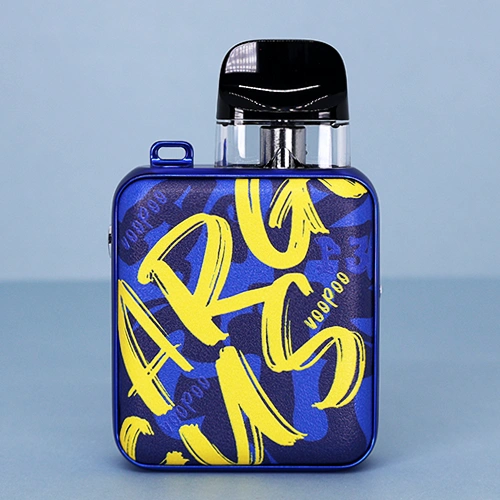

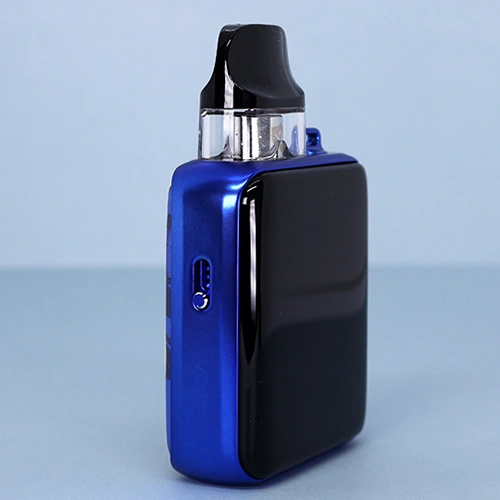
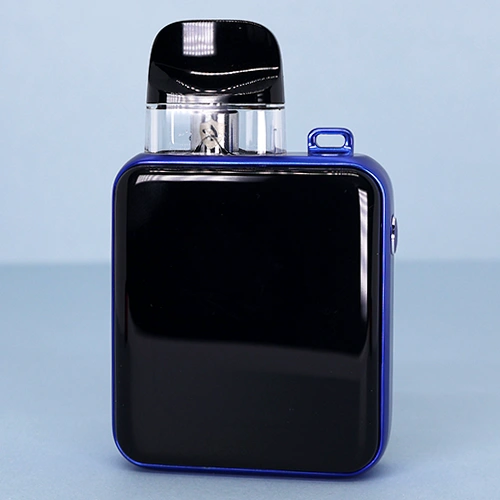
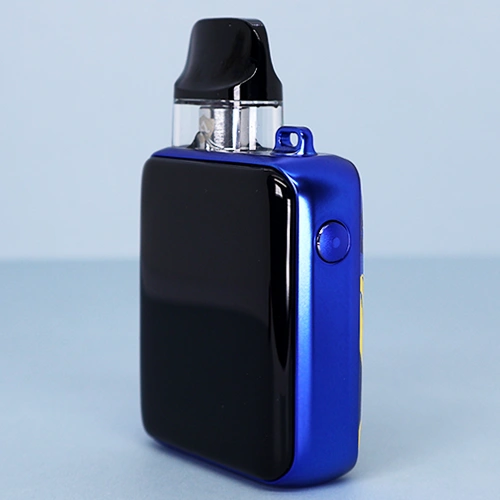
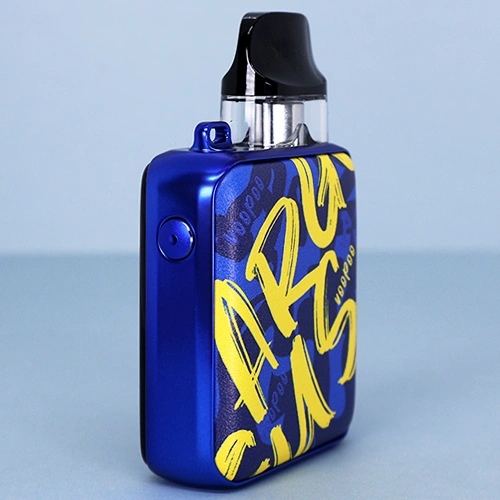
VOOPOO’s ARGUS P devices have always been easily distinguishable from other ARGUS devices by their slim, square form factor, and that remains true of the ARGUS P3. It’s a very small device, measuring only 80mm tall, 50mm wide, and 21mm thick. I can easily hide it, even in my small hands, so it’s a good stealth device if you’re looking for a few discreet pulls.
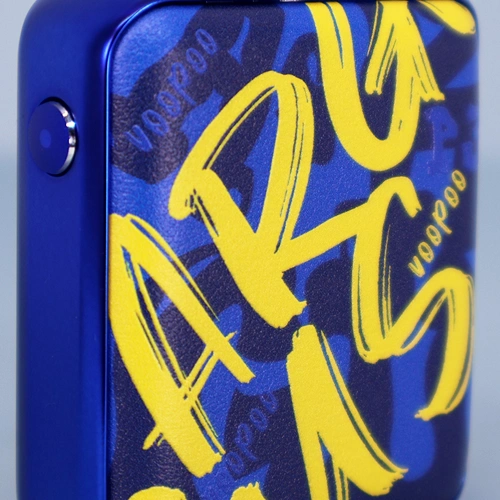
The easiest and best way to describe the look is professional and premium, at least for most colors. The “Blue Leather” color I’m using features a leather pad with ARGUS written in graffiti style, which is admittedly a bit more urban, but I think it looks great.
The other colors, though, are reserved and look high-end. The leather comes in all different colors and designs, either stitched or embossed, along with a color-matched zinc alloy frame. The frame even has a spot for a lanyard, although there’s no lanyard included in the box.
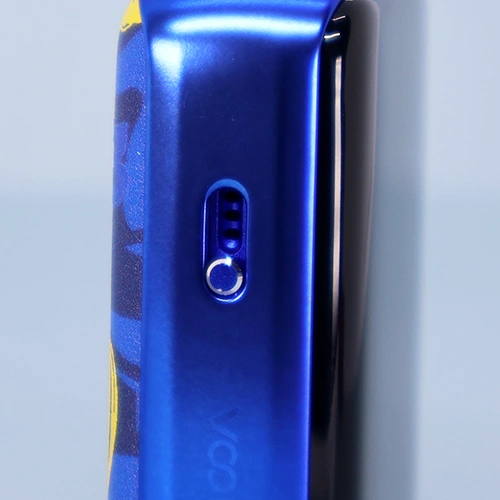
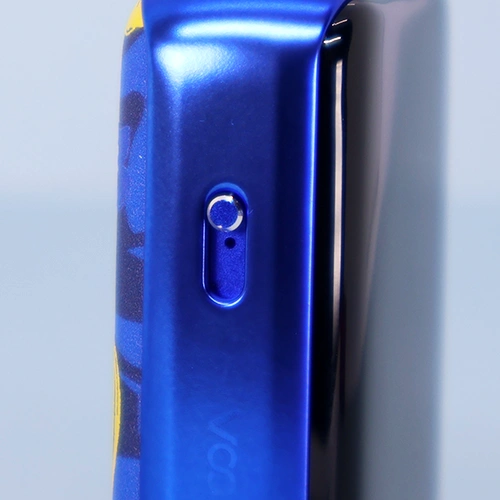
The airflow slider is stiff, but it’s nice as I can make very small adjustments. If you don’t have nails, it’s going to be difficult to adjust it, though.
The display is the highlight of the ARGUS P3. It’s an ultra-high-definition touchscreen, and it’s smartphone-quality. It’s just as responsive as my phone, responding to even small touches and swipes immediately.
Just as I would with my phone, I’ve been taking care with the display as not to break it, but it has still ended up with many small scratches and even a few deeper ones. I’m not even sure how this happened, but it sucks to see the display all marked up after just a few weeks of (what I thought was) careful use.
The button on the side of the P3 only does a few things: turning the power on or off, turning the display on or off, or activating/deactivating the child lock.
Pods
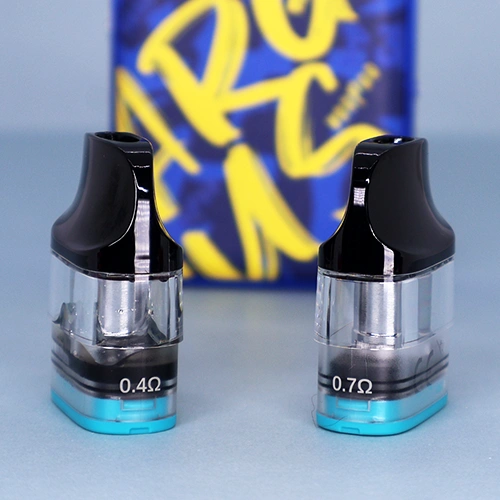
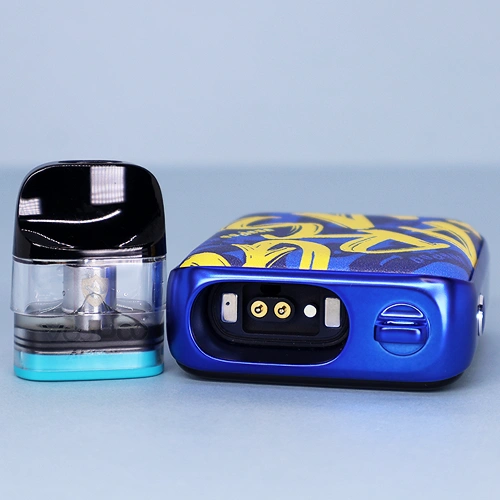
Just like all of VOOPOO’s latest devices, the ARGUS P3 comes with pods that use their ICOSM CODE 2.0 tech. VOOPOO says these pods guarantee 30 days of clean flavor, consistent smoothness, 100ml of pod life, and leak resistance.
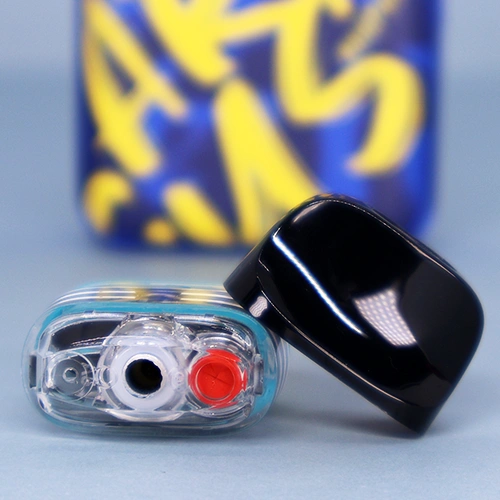
Two pods come in the box, a 0.4Ω and a 0.7Ω pod, with the former being for RDL and the latter for MTL. Both of these pods have a 2.5ml capacity and feature a snap-off drip tip, which gives access to the fill port once removed. There’s a little membrane that covers the fill hole for extra protection against leaking.
The cap is easy to remove by just bending it backwards, but it feels secure at the same time. Once removed, filling is easily done by sticking your bottle tip into the hole with the red membrane. Even my 100ml bottle nozzle fit in nicely, so I didn’t have any trouble filling up the pods.
If you have some older ARGUS pods lying around, you’re in luck, as the P3 is compatible with all ARGUS pods. These new ARGUS Snap cartridges are also backwards compatible with older ARGUS devices.
Features
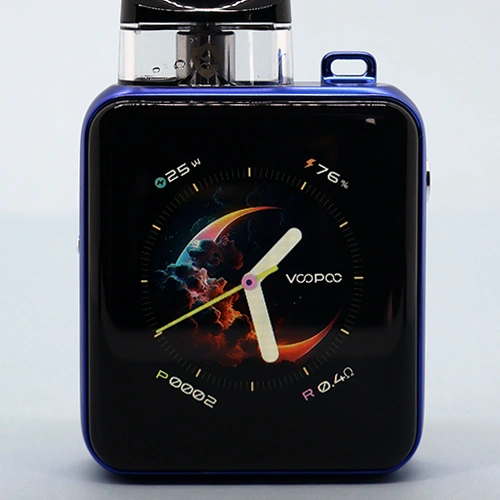

Compared to the ARGUS P2, or even to other ARGUS devices, the ARGUS P3 is brimming with features and functions, and it can all be accessed through the large 2.01” TFT color touchscreen. This touchscreen has a 240 by 296 pixel resolution, so it’s very high def. It’s also very smooth, although I’m not sure of the exact refresh rate.
When you first turn on the P3, you’re greeted by the main clock display. You have to swipe up on the screen to unlock it, which prevents accidental activations, and from here you have full access to the device.
Holding down on this main clock display allows you to change between eighteen themes, although only one is available when you first start using the device. The rest of the themes gradually unlock with higher puff counts, with the last one requiring 6000 puffs.
From here, swiping left brings you to another display where you can change modes or change the wattage. There are two modes: normal and DIY. Normal is just regular wattage mode, and you can tap on the wattage at the top of the display to change it.
DIY mode is like wattage curves on a vape mod. This allows you to set a curve with twenty-five different wattages over five seconds (0.2s intervals). It’s a neat feature, though I’m not sure how many vapers will actually use it. I played around with it a bit for fun, but decided to stick with ‘regular’ wattage mode for most of my testing.
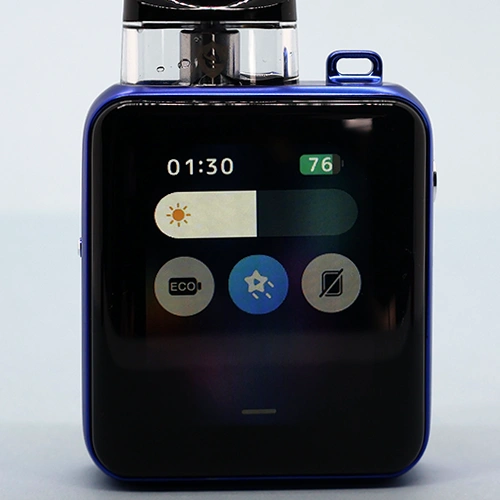
Swiping down from the top of the screen brings up a mini-menu where you can adjust the screen brightness, activate ECO mode, turn off the animation that plays when you vape, or toggle the screen to stay off when you vape instead of waking the screen (good for discreet vaping in dark environments).
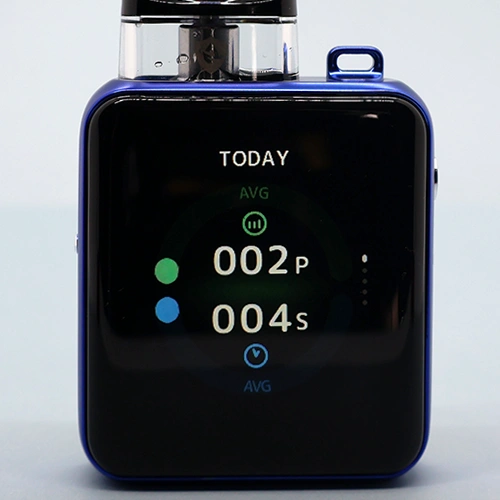
Swiping right from the main clock display brings up the detailed puff counter. This shows how many puffs you’ve taken that day and for how many seconds you vaped, along with a weekly and 6-month chart. There are also totals for puffs and puff time. It’s a very detailed puff tracker, more detailed than I’ve seen on other vapes. If you want to keep tabs on your vaping, this is the pod vape to do it with.
Lastly, swiping up from the bottom of the display brings up a menu where you can turn the animation on or off, change the display timeout, set the time, change the language, or clear the puff counter. There’s also a “LIGHT LAB” option, which lets you set the display to a “Party mode” that flashes multiple colors (be warned if you have epilepsy), and an SOS mode that flashes the display in Morse code for SOS. Neat, but like DIY mode, I’m not sure how many vapers will actually want or need to use these.
With all of that explained, you can see how the ARGUS P3 can take a little getting used to. It’s not the most intuitive device out of the box, so I suggest making use of this review as well as the quick user guide that comes in the box.
How to use the ARGUS P3
- Power on/off: Press the button five times.
- Wake or turn off the display: Press the button once.
- Child lock (locks the draw-activation): Press the button three times.
- Change clock themes: Long press on the main clock display screen. Swipe to change themes. Themes are unlocked progressively by puff count.
- Change modes: Swipe left. Press NOR or DIY near the bottom of the display.
- Change wattage: Swipe left. Tap the wattage at the top of the display, then scroll to change wattage. Press OK to confirm.
- Access mini-menu (brightness, ECO mode, animations, screen off): Swipe down from the top of the display.
- Access puff counter: Swipe right.
- Access menu: Swipe up from the bottom of the display.
Battery life & Charging

The ARGUS P3 has a built-in battery with a 15000mAh capacity. That’s a 400mAh increase over the ARGUS P2, so it’s a significant upgrade in the battery department. With the 0.7Ω pod, I’ve been getting three full pods per charge, which is 7.5ml of e-juice. That’s excellent battery life, and depending on how often you’re vaping, you could get days of use from one charge.
Thanks to 2A charging, the ARGUS P3 takes only forty minutes to go from 0 to 100% battery. The display shows the charging progress, along with an estimated charging time, which is very accurate. When I first plug it in at 0% battery, it says it will take 40 minutes, and it does.
One thing I dislike is that the screen does not remain on while charging, so I have to press the button to wake it up if I want to see the charging progress. And as far as I’ve seen, there’s no way to change this.
Performance
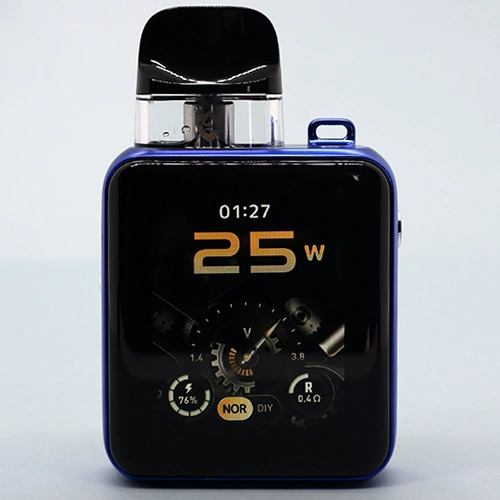
The ARGUS P3 can be a little complicated to learn how to use, but once it’s set up and running, it’s a great device to use on the daily. After you’ve picked the theme you like the most, adjust the wattage and airflow to your liking. Then all that’s left to do is draw on the mouthpiece to vape.
Mouth-to-lung vapers will really like the 0.7Ω pod because it has a great range of airflow, from loose to tight MTL. On the other hand, the 0.4Ω pod goes from restricted-direct-lung to MTL, making it the better pod for vapers who prefer a looser draw.
Because of the resistance difference between the two pods, as well as the wattage difference (up to 18W with the 0.4Ω pod and up to 30W with the 0.7Ω pod), each pod is better suited to different types of e-juices. The 0.4Ω pod vapes best with freebase e-juices, but very low-strength nicotine salts could work as well. The 0.7Ω pod vapes great with nicotine salts, but will also work with freebase e-juices if that’s your preference.
What I’ve been most impressed by is the flavor and consistency of these pods. I don’t want to sound like I’m fan-girling over the P3, but it might have the best flavor of any pod device I’ve tried. The flavor is just rich and bold, with that wet flavor I like from my vapes.
Not only is the flavor good, but it has stayed consistent, too. After 16 refills of the 0.7Ω pod, I can’t tell a difference between it and a new pod. Sixteen refills is still less than half of what these are rated for, but it at least gives me an idea of the longevity.
ARGUS P3 vs ARGUS P2 Comparison
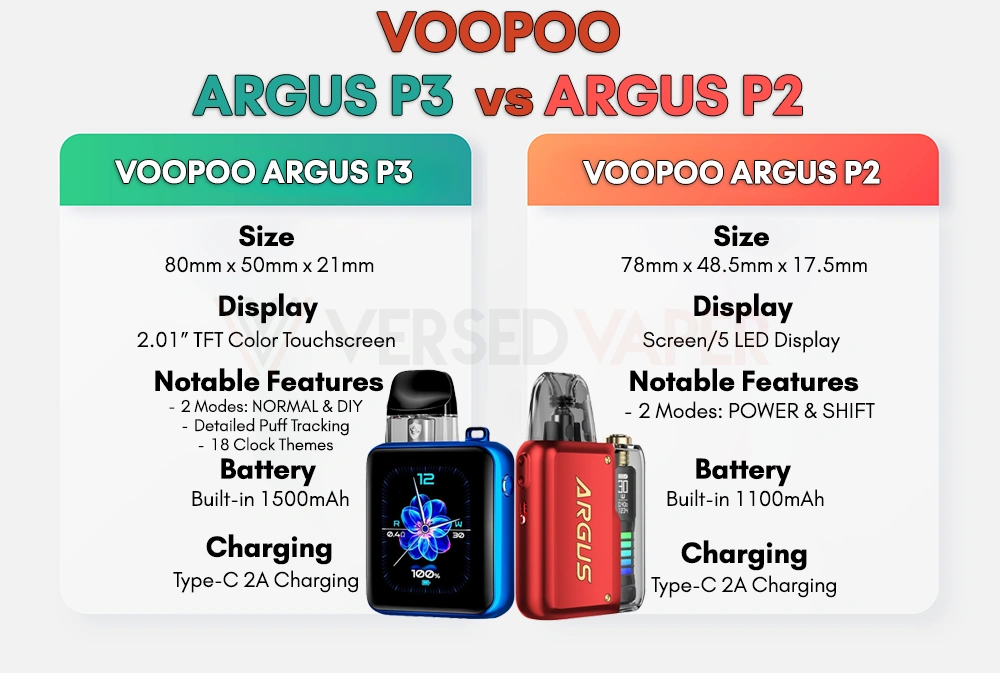
Compared to the ARGUS P2, the ARGUS P3 has received some heavy upgrades. Other than sharing the same square form factor, not much remains the same.
The ARGUS P3 has more features and is nearly completely touchscreen-controlled. The ARGUS P2 lacks a touchscreen and has fewer features, but it is more straightforward and intuitive to use.
If you currently own the P2 and want the flavor of the new Snap cartridges, the good news is that they will work with the P2.
To make the differences more easily understandable and comparable, we’ve created this easy reference chart for you below:
Verdict
The ARGUS P3 has a lot of cool features: a smartphone-quality touchscreen, custom power curves, multiple theme options, and more. But this means that it also comes with a learning curve. The interface isn’t immediately intuitive, and navigating its many menus takes some getting used to.
Once the device is set up, though, it delivers a great everyday vaping experience. Both pods offer great performance, with the 0.7Ω pod shining for MTL and the 0.4Ω pod working well for RDL. Battery life and charging speed are also outstanding, so you’ll spend more time using it rather than waiting around for it to charge.
The ARGUS P3 isn’t perfect, but it’s pretty close to it. While some of its features may go unused by vapers, its performance makes it one of the best pod devices that I’ve used to date. Highly recommended.


 Russ Ware
 Adam Alhiraki





Add comment